Push Help Center
Ready to help
Ingesting events using Tines
In this section:
Configure Tines to allow for ingesting Push webhook logs.
Configure the log source in Tines
In the Tines console, create a Tines story for use with Push.
Within your Tines story, add a Webhook Action. Select the action you just added to view the Webhook URL and Secret from the configuration options screen.
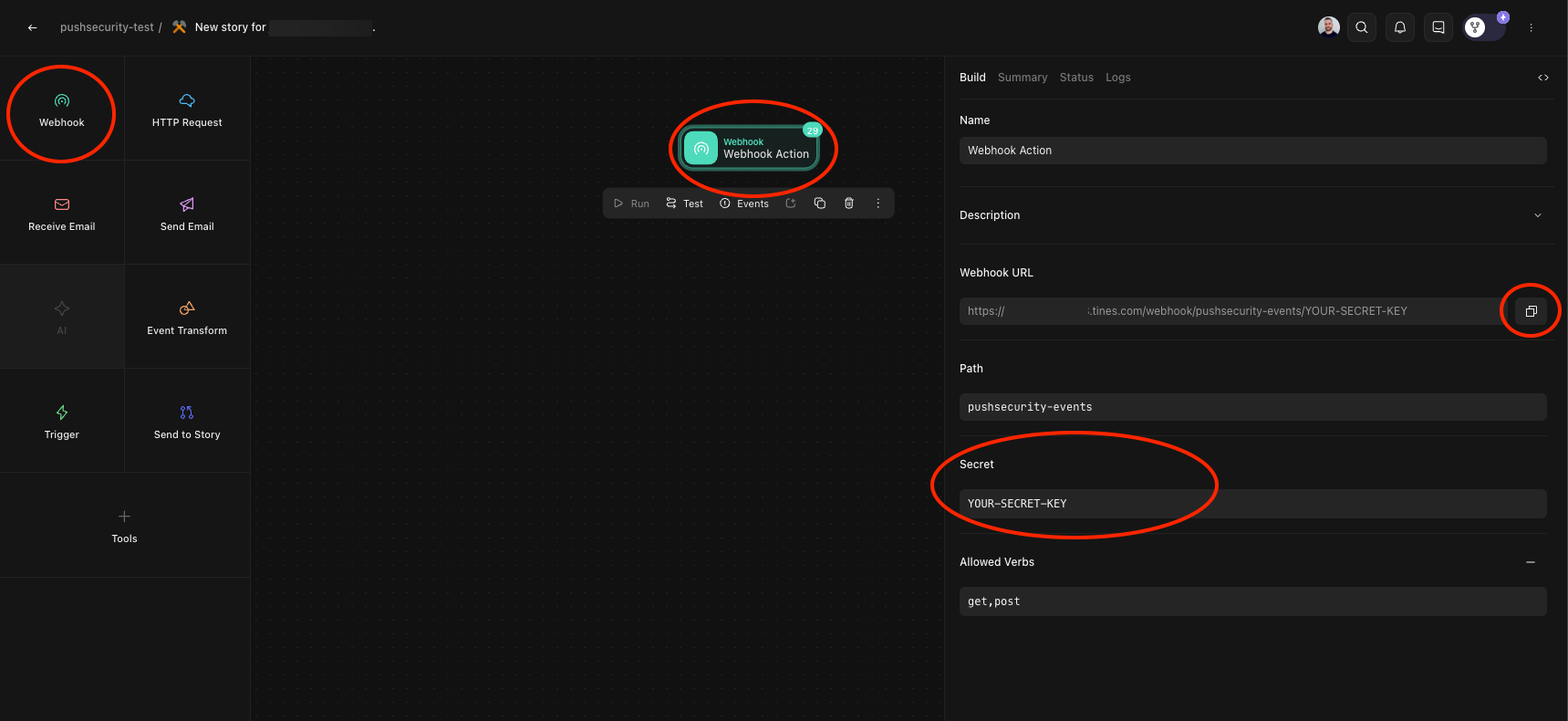
You'll need the URL and secret key to configure the integration with Push.
Configure the integration in Push
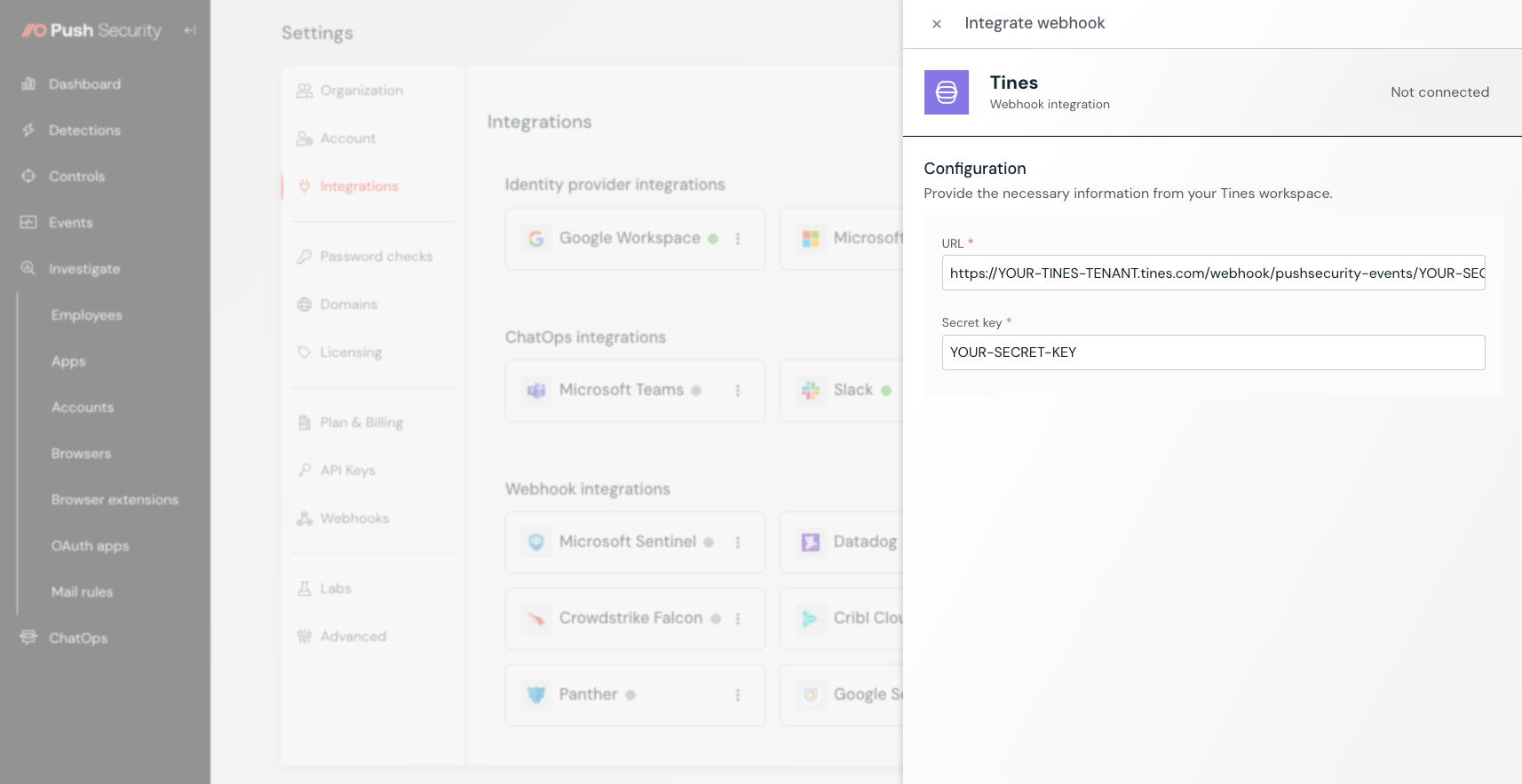
In the Push admin console, go to Settings > Integrations and select the Tines tile.
Input the Webhook URL and Secret key from Tines and then click Connect.